
Google Gemini
Google's multimodal AI with deep search integration
Google Gemini combines multimodal understanding with deep Google Search integration. The 2.0 Flash model is free and fast, while Gemini Advanced offers 1M token context and Google Workspace integration.
Editor rating is our overall editorial judgment of the tool, out of 5. It is not a test score and not a user-review average. Ratings have not been re-scored since the tool was listed here. The reasons are in Best for and Pros & cons below.
No coding needed. You can try it in the browser.
Gemini is Google's AI assistant, and its biggest advantage is where it lives: inside Gmail, Docs, Sheets, Drive, and Android. If your digital life already runs on Google, Gemini can summarize an email thread, draft a reply, or pull context from your Drive files without you copying anything anywhere. The underlying models handle very long inputs well, so you can hand it a large document or a long video transcript and ask questions about the whole thing.
The free tier is unusually generous, which makes it an easy first AI assistant for non-technical users. The experience is spread across many Google surfaces (the app, Workspace sidebars, search), and features differ between them, so it can feel inconsistent and harder to learn than a single chat window.
A generous free tier covers most casual use; advanced models and deeper Workspace features come with a paid Google AI subscription. Check the pricing page.
Best for
Pros & cons
✓ Pros
✗ What this won't do
Use cases
Analyzing images and PDFs
Research with live web data
Summarizing Gmail threads
Creating Google Docs drafts
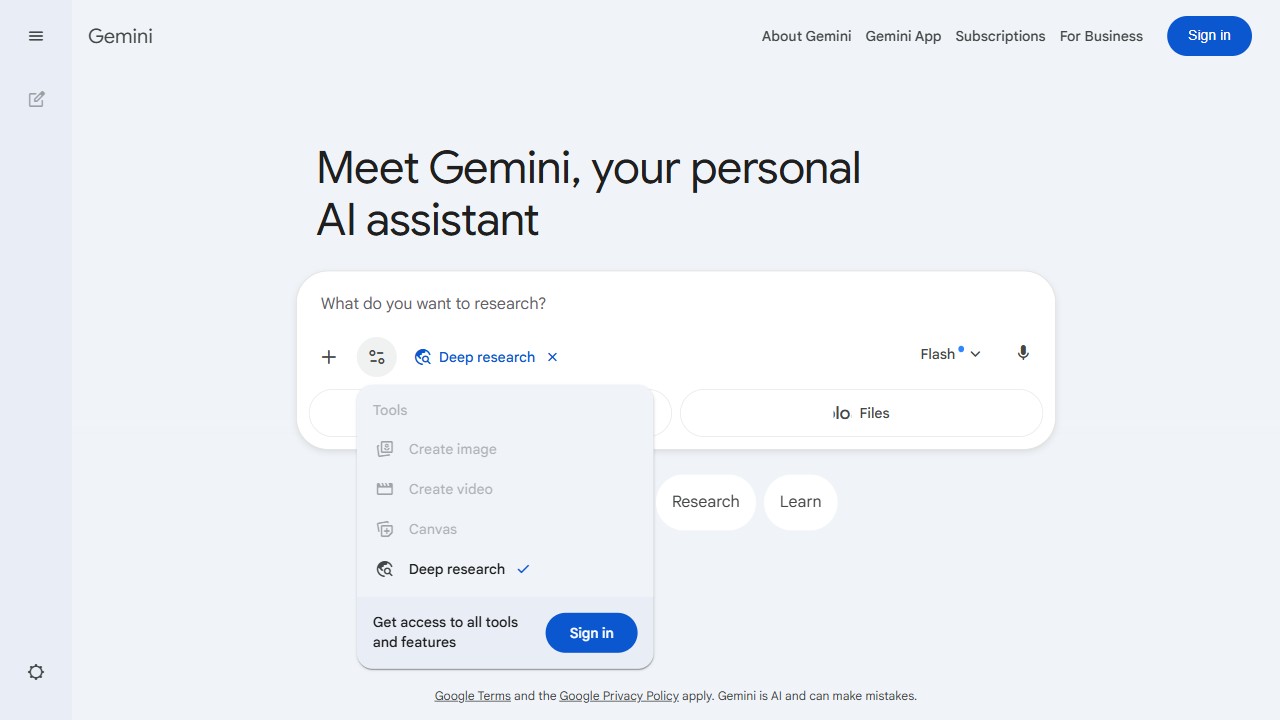
Turn on Deep Research
In the Gemini prompt box, open the Tools menu and choose Deep research so it shows a blue checkmark. This tells Gemini to read many sources instead of answering in one line.
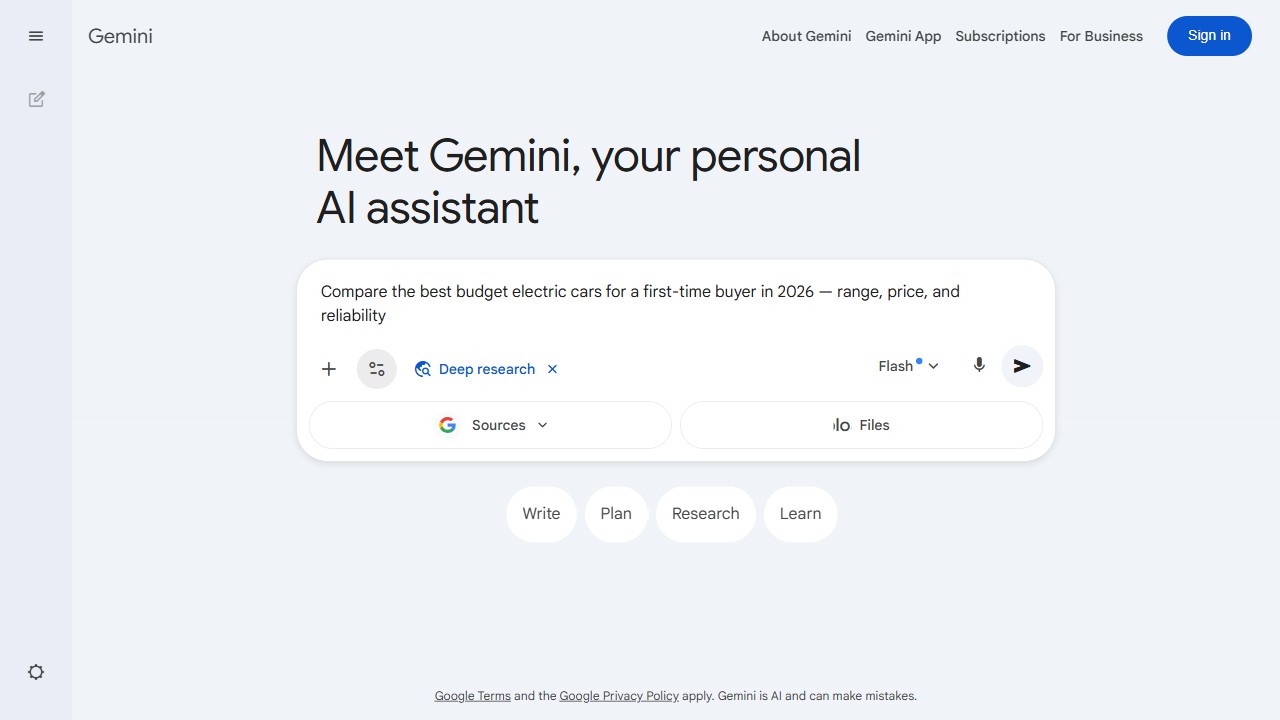
Ask your real question
Type the actual thing you want to know, with a bit of detail, and press the send arrow. Keep the blue Deep research tag on while you send.
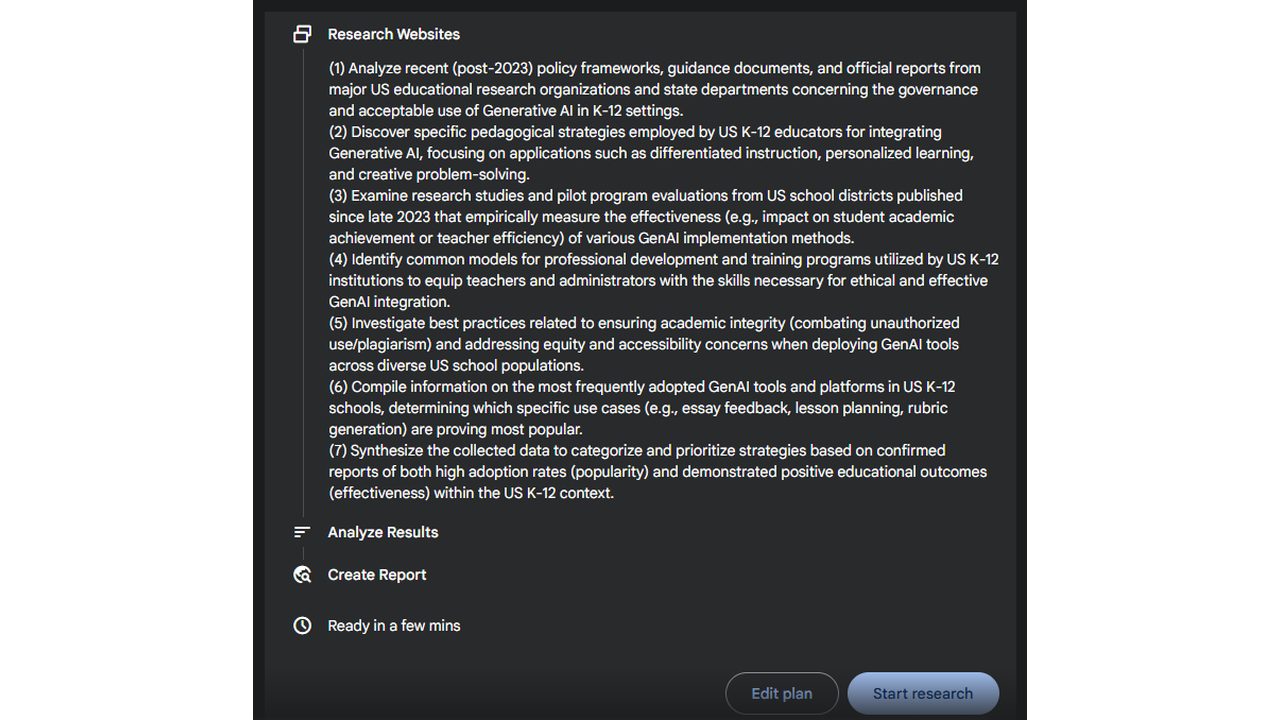
Check the plan
Gemini shows a numbered plan of what it will research. Read it, use Edit plan if something is missing, then click Start research.
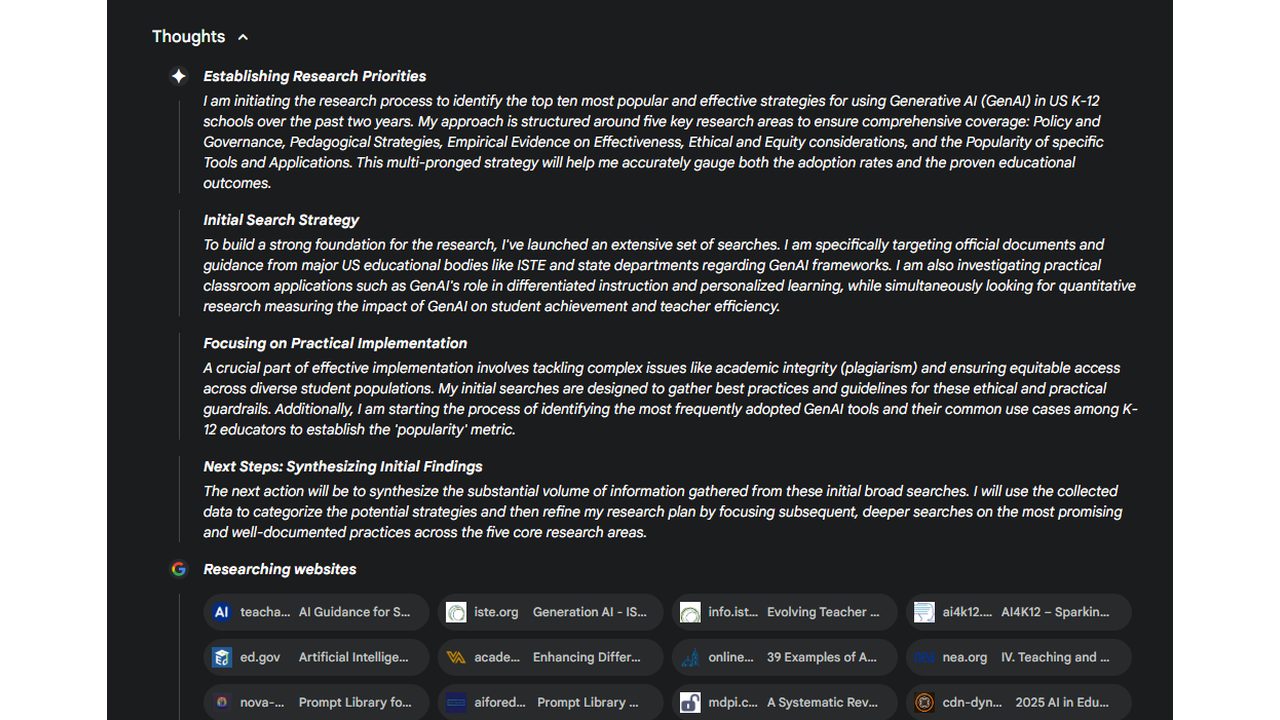
Let it browse
A Thoughts panel explains its approach while a row of tiles shows the real websites it is reading. Give it a few minutes to work.
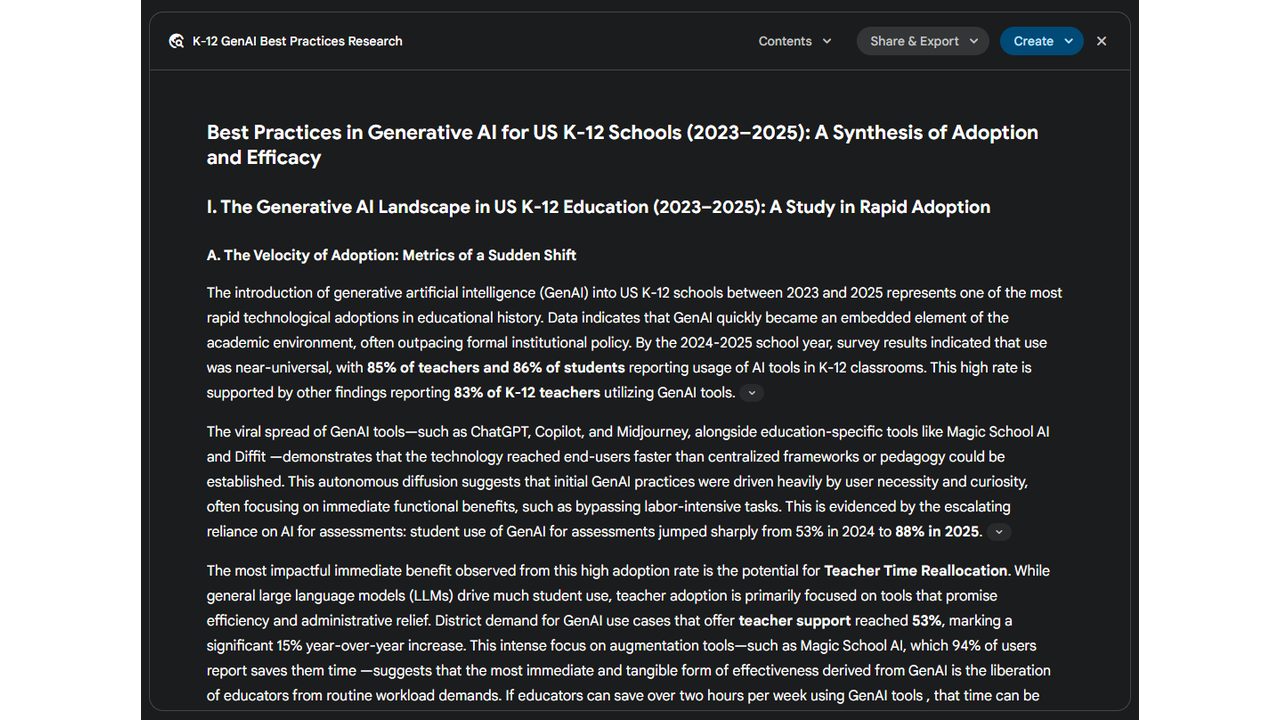
Read the report
You get a tidy report with headings and key numbers in bold. Use Contents to move around, and Share & Export or Create to save or reuse it.
Good fit, bad fit
Great for
- Summarizing a long Gmail thread and drafting a reply in your own tone
- Asking questions about a big PDF, report, or lecture recording in one go thanks to long context
- Drafting and editing directly inside Google Docs and Sheets without switching apps
- Getting a capable AI assistant on Android with voice, camera, and screen awareness
Skip if
- You don't use Google Workspace, so the integration advantage mostly disappears
- You're uneasy mixing an AI assistant with the account that holds your email and files
- You want one consistent chat product rather than features scattered across Google apps
Compare alternatives
| Tool | Category | Editor rating | Pricing |
|---|---|---|---|
| Google Gemini (current) | LLM / Assistant | 4.6 | Free / $20 mo |
| ChatGPT | LLM / Assistant | 4.8 | Free / $20 mo |
| Claude | LLM / Assistant | 4.8 | Free / $20 mo |
| Perplexity AI | Research / Search | 4.7 | Free / $20 mo |