5 min watch
NotebookLM tutorial for beginners: turn your own sources into answers you can verify
0 comments
The rundown
Upload your own documents, chat with them, and turn the result into an audio overview or a mind map, with every answer linked to its source.
What you'll learn
- Create a notebook and add PDFs, websites, YouTube links or pasted text
- Ask specific questions instead of asking for a general summary
- Check any answer by clicking its citation to the original passage
- Turn a notebook into an audio overview or an interactive mind map
Topics
Step 1 / 9
Know the three steps
NotebookLM works in three essential steps. First you upload your sources, second you chat with them to find the answers you need, and third you create useful outputs that move your projects forward.
Step 2 / 9
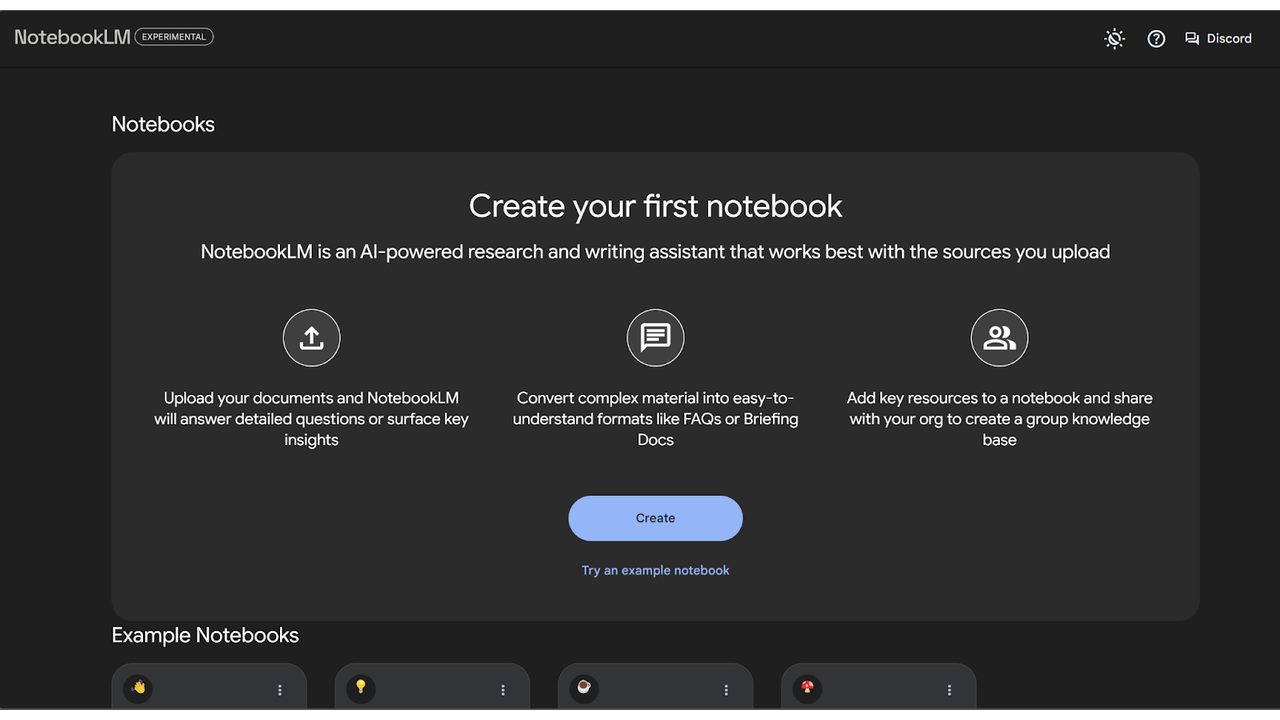
Create a new notebook
The sources panel is the heart of your notebook and your foundation. Click Create New Notebook and start adding your material. The interface is built to keep you focused from the very first document you upload.
Step 3 / 9
Add the sources you trust
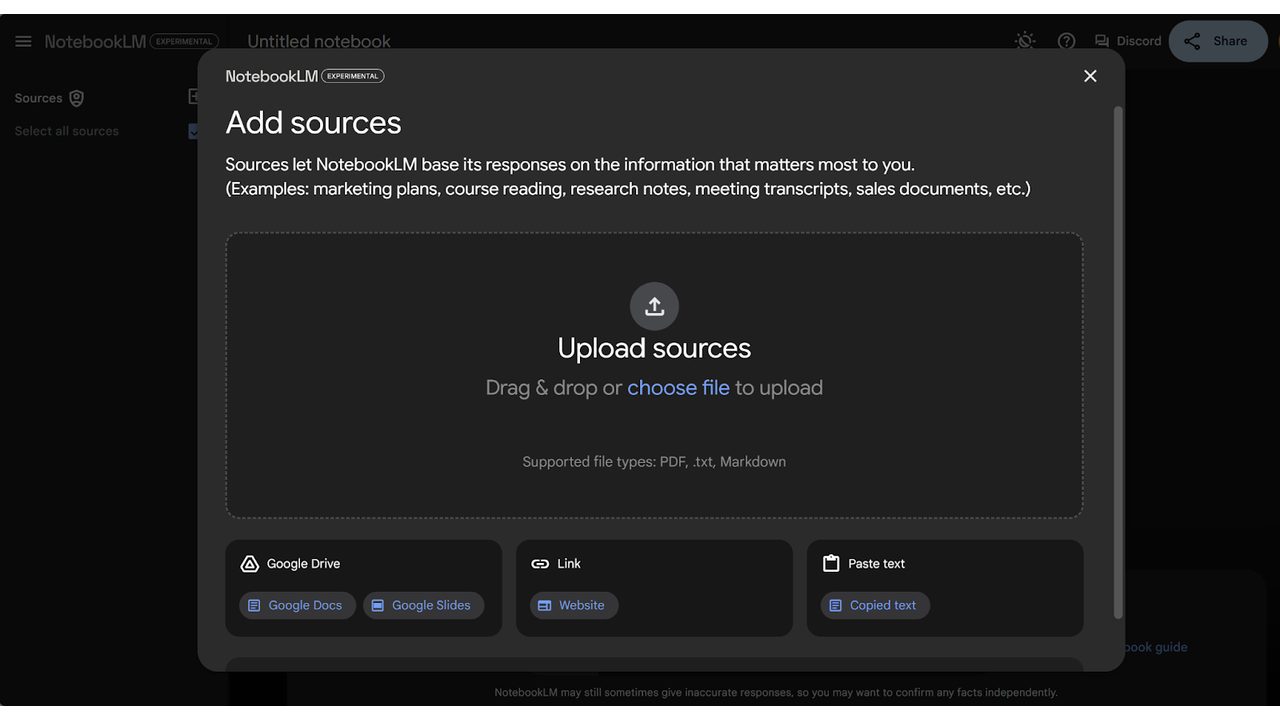
You can bring in almost anything: PDFs, websites, YouTube links, or even copied text from your clipboard. Your notebook is only as good as the sources you provide, so pick the ones you trust most. The more you add, the smarter your thinking partner becomes.
Step 4 / 9
Let it read everything at once
NotebookLM analyzes all your sources together rather than storing them one by one. That surfaces connections and hidden themes you would have missed reading them separately.
Step 5 / 9
Chat with your sources
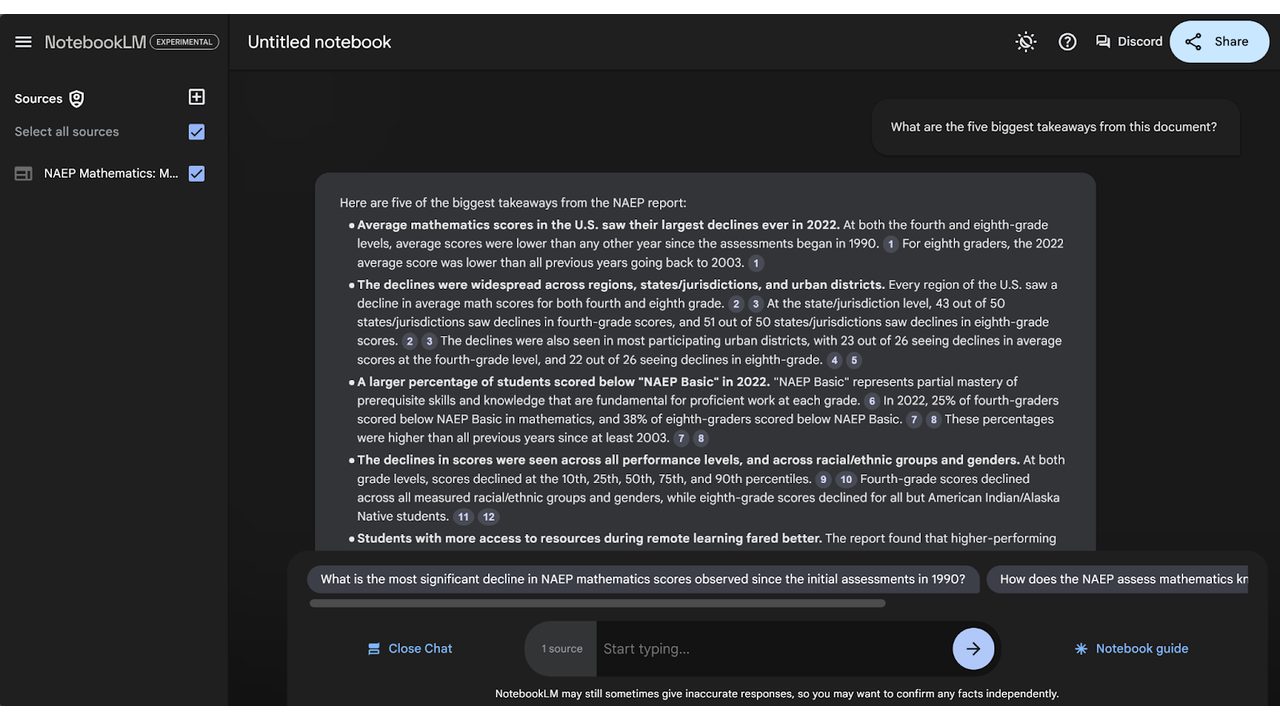
The chat panel in the center turns reading into a real-time conversation with your data. Ask for summaries, find disagreements between sources, or simply say "explain this to me like I'm a beginner."
Step 6 / 9
Ask specific questions
The secret to the best insights is being specific. Instead of asking for a general summary, ask for "the five key takeaways for my client presentation" or "the top three arguments against this strategy." The more focused your questions, the better it reasons across the material you gave it.
Step 7 / 9
Create outputs in the studio
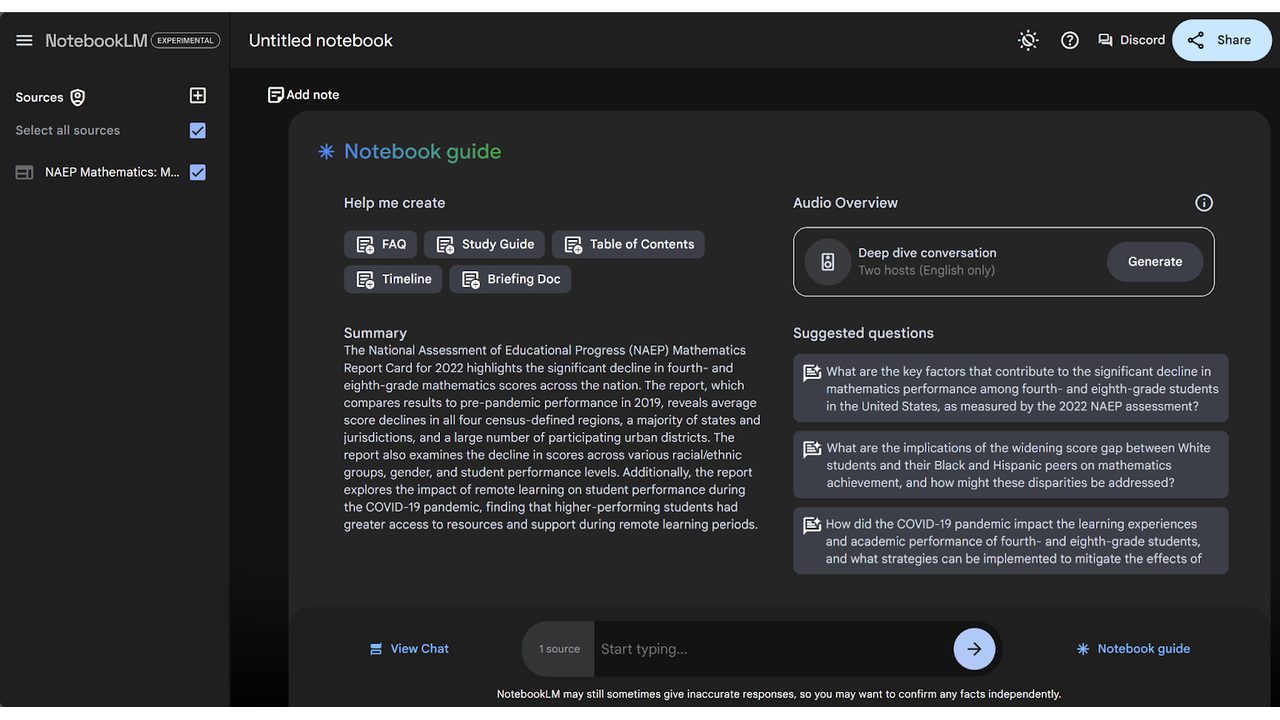
The studio on the right is where your research turns into usable work. Create an audio overview to listen to on a long commute, or generate an interactive mind map when you need to see the big picture.
Step 8 / 9
Check the answer with its citation
Every answer NotebookLM gives includes citations. Click one and you jump straight to the exact passage in your original source, so you never have to guess where the information came from.
Step 9 / 9
Do not treat it like a chatbot
The biggest mistake beginners make is treating NotebookLM like a standard chatbot. Vague questions give vague results, so start with strong sources, ask deep questions and always use the citations to verify the logic.

Moirangthem Margareth Devi
Founder, AI Agents Daily
Founder of AI Agents Daily. She tests AI tools and teaches non-technical people how to put them to work.


Comments
No comments yet. Be the first.