5 min watch
NotebookLM
Give ChatGPT a goal, the raw facts, your voice and clear limits, then refine one draft and check it before you send.
Step 1 / 8
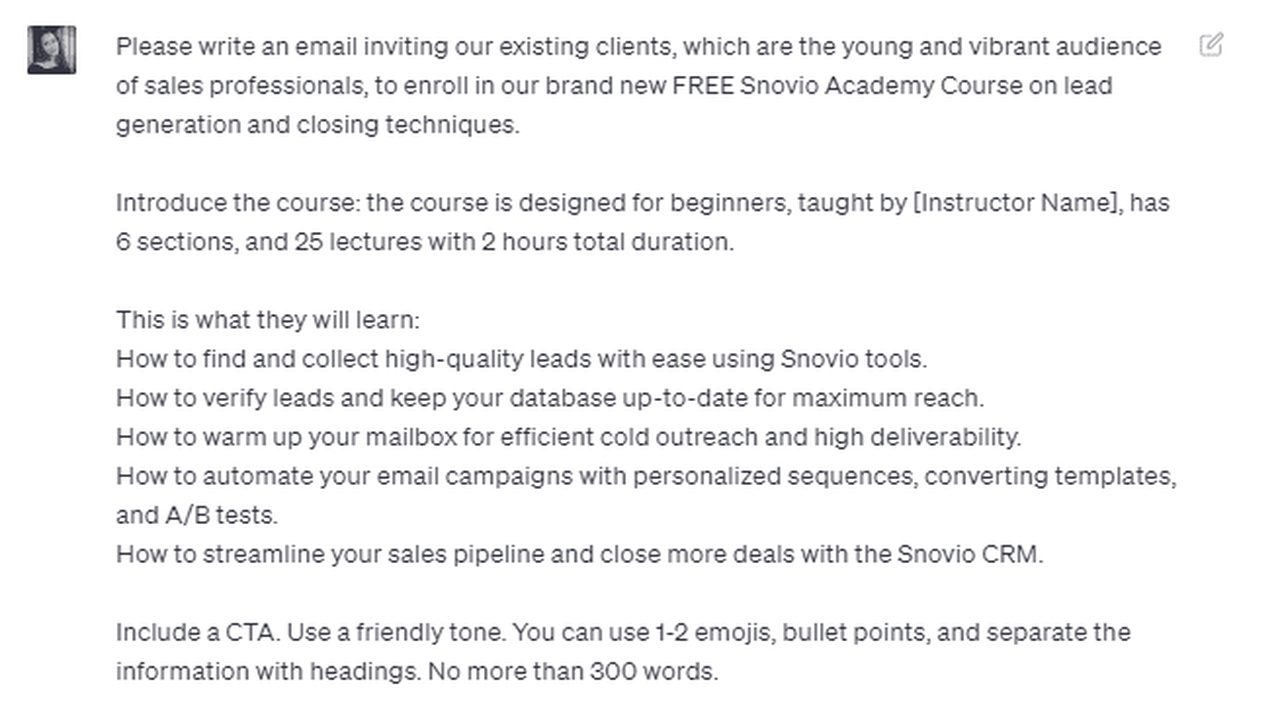
Most people ask ChatGPT to "Write me a professional email." It works, but the result often sounds generic, over-polished, and nothing like the way you actually speak. Treat ChatGPT like a writing partner instead, and give it the same information you would give a colleague who was helping you draft the message.
Step 2 / 8
Tell ChatGPT who the email is for, why you are writing, and what you want the reader to understand or do next. Instead of "Write an email about a delay," try "Draft an email to my manager explaining that the project will be delayed by two days. I want to keep them informed, reassure them that the work is under control, and make the revised delivery date clear." That gives ChatGPT a communication goal rather than a writing task.
Step 3 / 8
The facts do not need to be beautifully written, and bullet points are perfect: "The product images arrived late. The remaining work is already in progress. Delivery moves from Tuesday to Thursday. Do not blame the photography team." Add the instruction many people miss: "Do not invent missing information. If an important detail is missing, tell me before drafting." You can also split the prompt into sections such as Goal, Context, Must Include, Avoid, Tone and Format.
Step 4 / 8
"Make it human" is too vague, so say what you actually sound like: "Make it warm, direct, and conversational. Use short sentences and contractions. Avoid corporate jargon, exaggerated enthusiasm, and unnecessary formal language." For an even better match, paste one or two emails you wrote yourself and say "Use these only as a style reference. Match my level of formality, sentence length, greeting style, and directness. Do not copy the wording."
Step 5 / 8
Tell ChatGPT how long the email should be, how many paragraphs you want, and what the ending should accomplish. For example: "Keep it under 120 words. Give me three subject-line options. Use no more than three short paragraphs. End with one clear next step."
Step 6 / 8
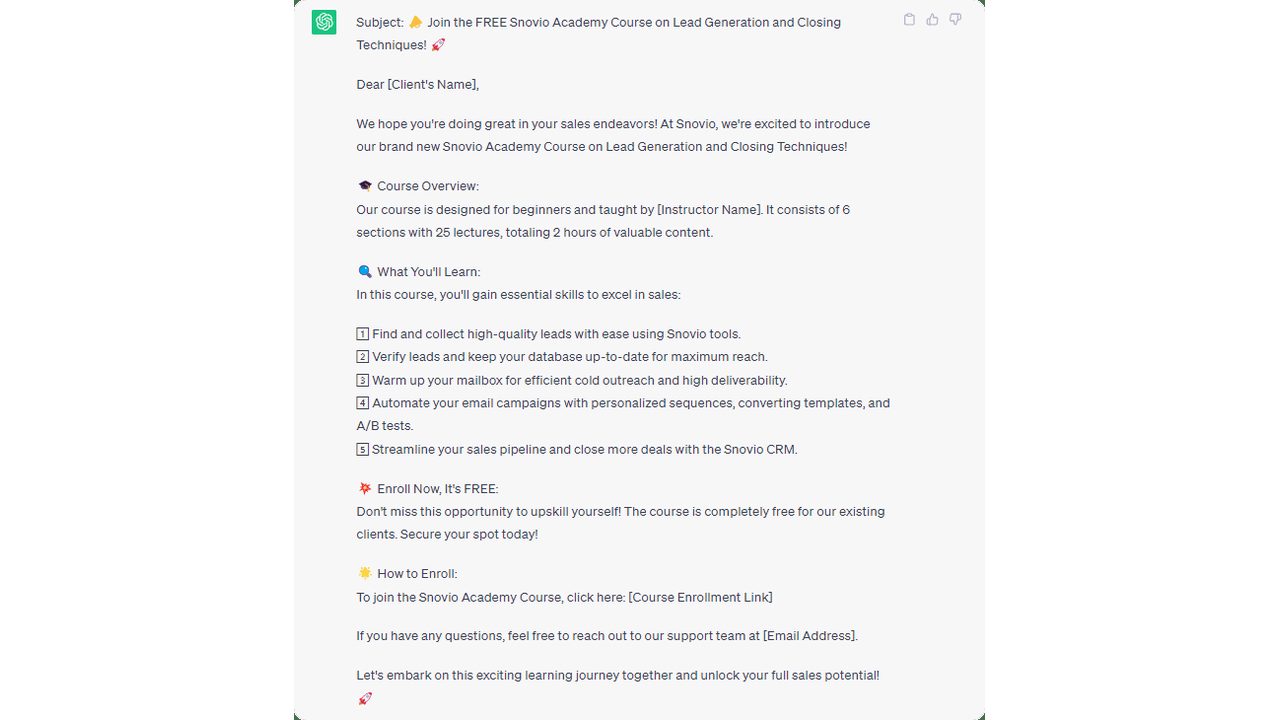
Edit the draft you have instead of starting over. Try "Make the opening less formal." "Reduce this by 25 percent." "The apology sounds too strong. Make it more confident." "Keep the second paragraph, but rewrite the ending." Or "Remove anything that sounds like corporate jargon." Specific editing instructions usually work better than repeatedly saying "Make it better."
Step 7 / 8
Check names, dates, numbers, attachments, commitments, confidential information, and anything that could create a misunderstanding. Then ask one final question: "Would I actually say this?" If not, edit it.
Step 8 / 8
A reusable prompt can be as simple as this: "Draft an email to this audience for this goal. Here are the facts. Include these points. Avoid these points. Use this tone. Keep it within this length. Do not invent missing information. Give me a clear subject line and call to action."

Founder, AI Agents Daily
Founder of AI Agents Daily. She tests AI tools and teaches non-technical people how to put them to work.


Comments
No comments yet. Be the first.