5 min watch
One sentence in, a short video out: your first clip with Veo
0 comments
The rundown
Type one sentence and watch Veo turn it into a short video, right inside Google Flow.
What you'll learn
- Open Veo, and tell Gemini and Flow apart
- Write one sentence and pick a look for your clip
- Find your finished videos to play or remake them
Topics
Step 1 / 5
Open Veo and pick your door
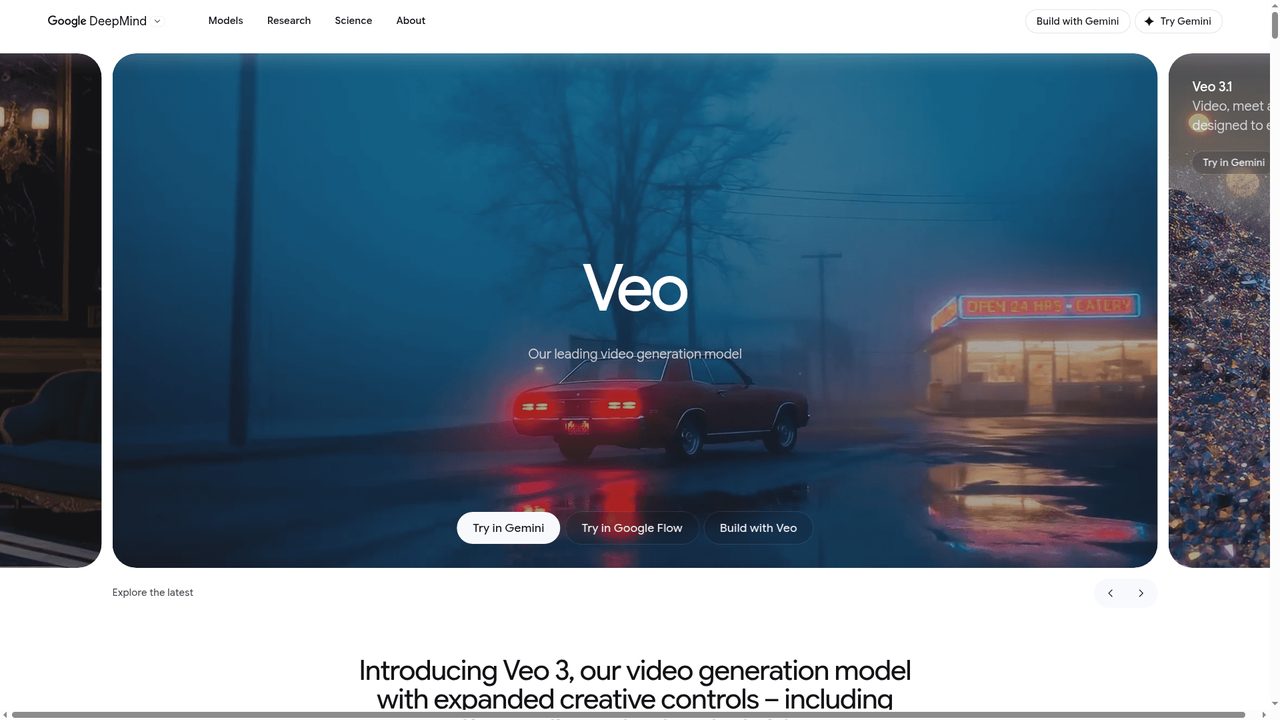
Go to the Google DeepMind Veo page. You will see the word "Veo" and three buttons near the bottom: "Try in Gemini", "Try in Google Flow", and "Build with Veo". For making a video from a sentence, click "Try in Google Flow".
Step 2 / 5
Start a project in Flow
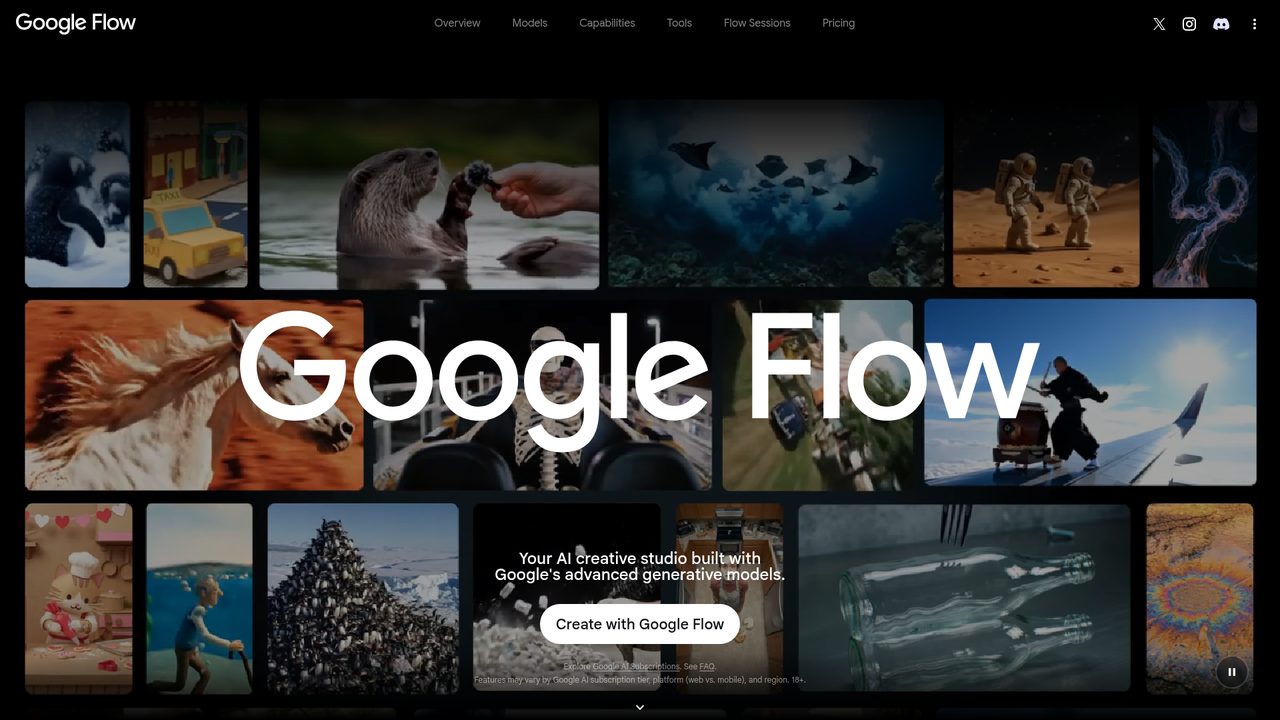
You are now on the Google Flow home screen, with a grid of sample clips behind the title. Click "Create with Google Flow" to open a fresh project.
Step 3 / 5
Type one sentence and choose a look
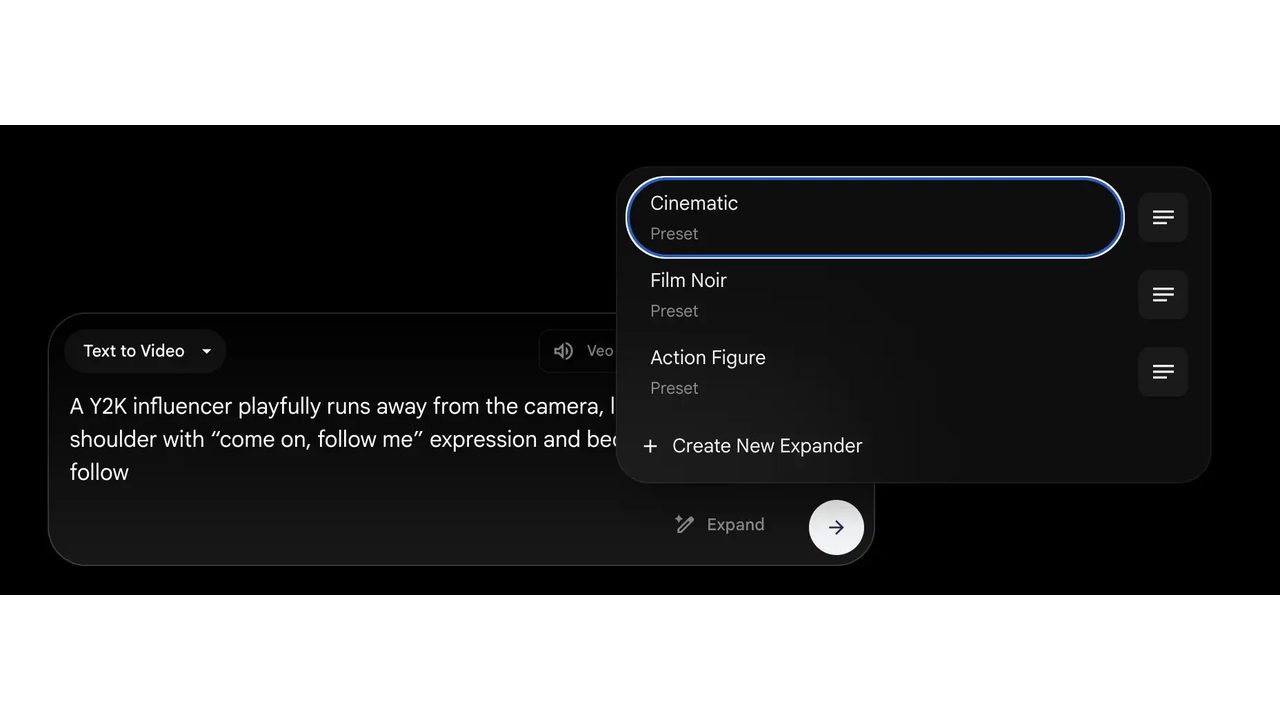
Make sure the box is set to "Text to Video". Type one sentence describing the scene you want, for example a person walking down a quiet street at sunset. If you like, open the preset menu and pick a style such as "Cinematic" or "Film Noir".
Step 4 / 5
Generate the clip
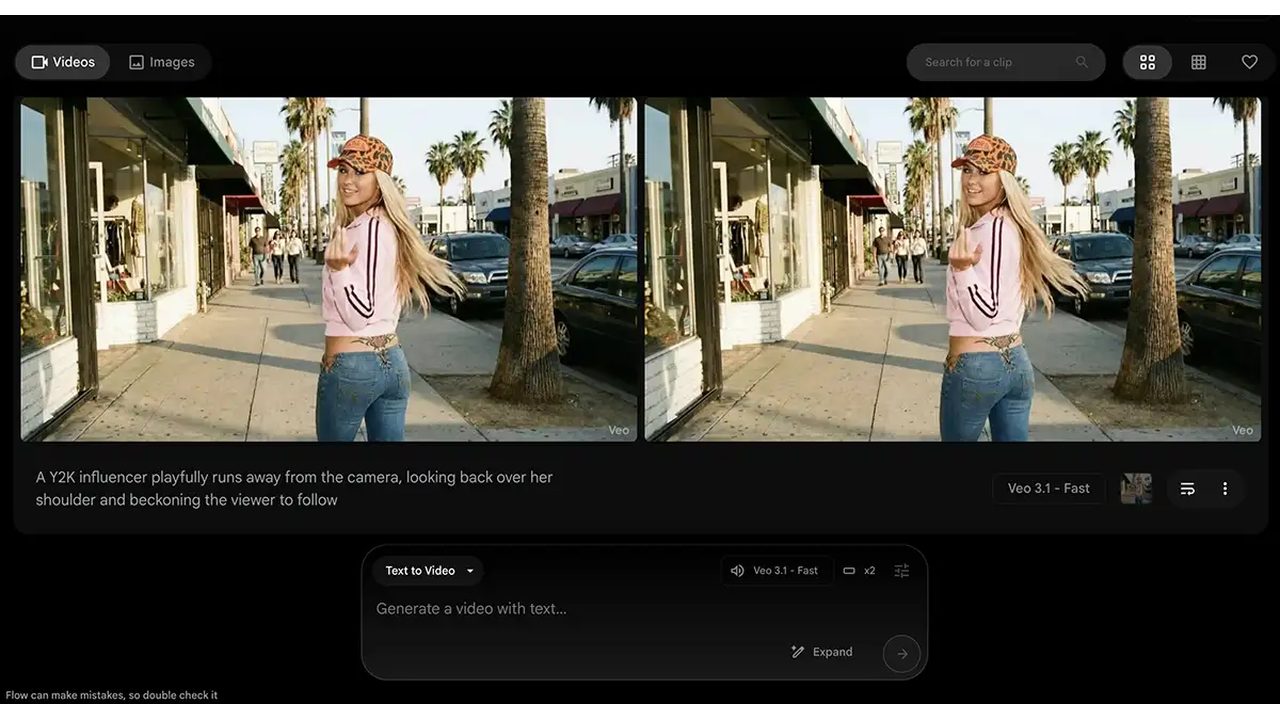
Send the prompt and wait a short moment while Veo works. When it finishes you will see frames from your finished clip with your sentence printed underneath, labelled "Veo 3.1 - Fast". An empty box sits ready if you want to try another sentence.
Step 5 / 5
Find and keep your videos
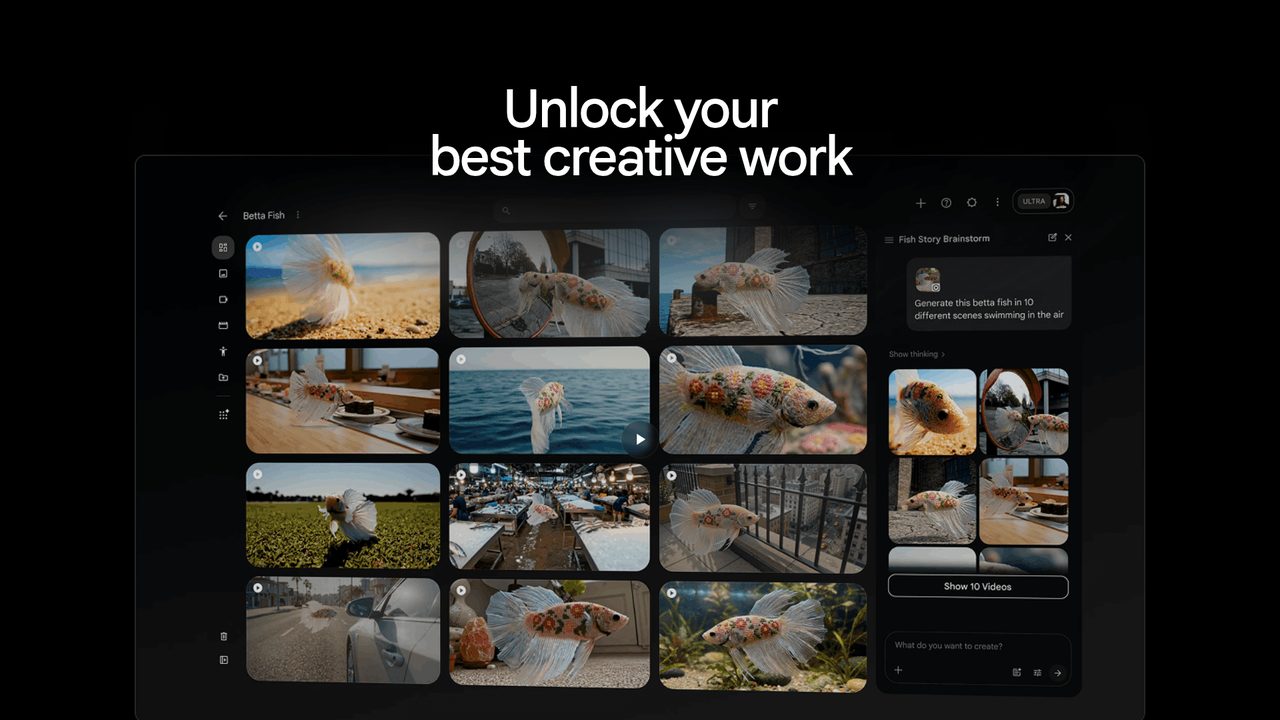
Your clips collect in the project workspace as a gallery you can play. The side panel shows other versions of the same idea, with options like "Show 10 Videos". Use the "What do you want to create?" box to make more, and download the ones you want to keep.

Moirangthem Margareth Devi
Founder, AI Agents Daily
Founder of AI Agents Daily. She tests AI tools and teaches non-technical people how to put them to work.


Comments
No comments yet. Be the first.